
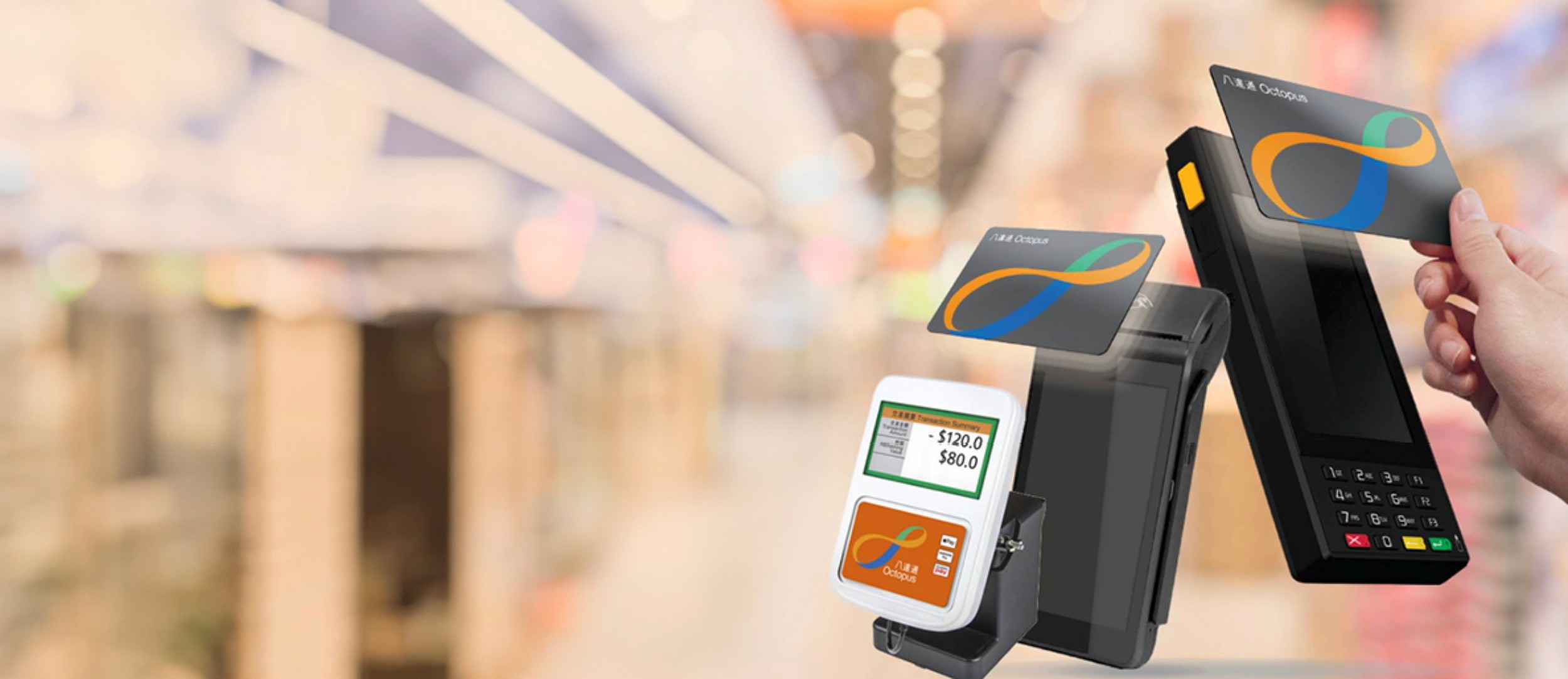
Octopus payments | One-stop merchant applications and reader setup
Octopus reaches 98% of Hong Kong residents aged 15 to 64. We follow up from choosing equipment and applying to after-sales support.
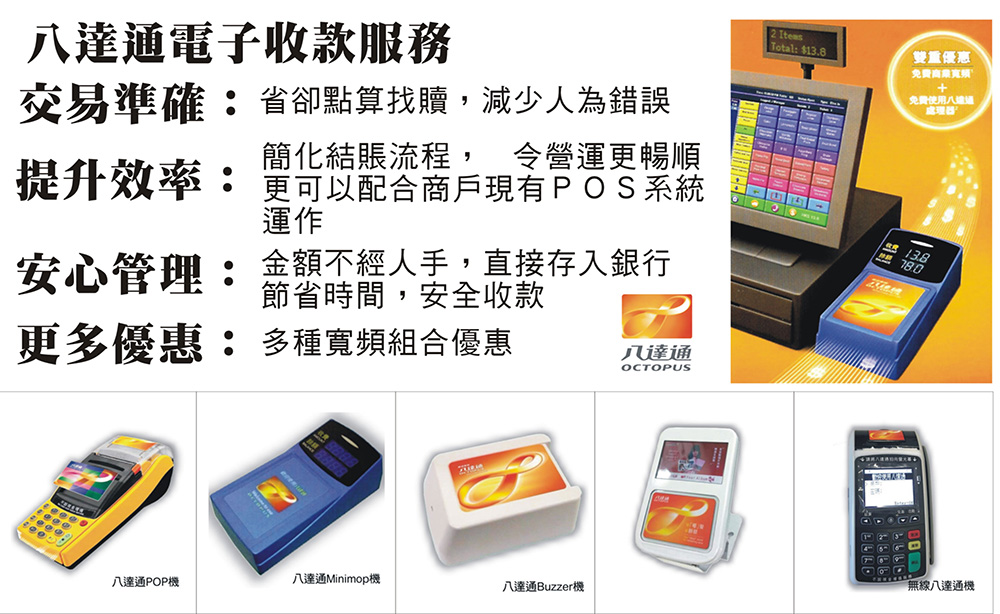
Options: Octopus Reader 3.0 · Portable Octopus Processor 2.0 · Octopus App for Business
From transport and convenience stores to neighbourhood restaurants, Octopus is one of Hong Kong's most familiar electronic payment methods. For merchants, Octopus payments reduces change handling, cash mistakes and counterfeit-note risks, helping queues move faster during busy periods.
We provide one-stop merchant Octopus application support, recommending readers or the Octopus App for Business according to your industry, checkout arrangements and budget, helping prepare documents and coordinating with POS system , merchant card terminal and business broadband.
- One-stop Octopus payment applications
- Help choosing equipment and pricing plans
- Support for new and existing merchants
- Combine with POS and business broadband offers
How widely is Octopus used? Official figures
- 36 million+ Octopus cards and products in circulation
- 15 million Transactions per day
- HK$300 million Total daily transaction value
- Nearly 210,000 Octopus acceptance points in Hong Kong
- 98% Penetration among Hong Kong residents aged 15–64
*Source: Octopus's official business website. Penetration is based on its latest market survey of residents aged 15 to 64.
In other words, almost all your customers have Octopus. Without it, you may lose customers who have no change or prefer a quick tap, especially for frequent small purchases such as drinks, bread, snacks, newspapers and groceries.
Three main Octopus options: choosing your equipment
Octopus offers payment methods for businesses of different sizes and types. Its main officially listed options are:
Octopus Reader 3.0 (OR 3.0)
- Rental fee waived
- Compact, modern design with built-in wireless connectivity
- Full-colour LCD
- Faster, reliable top-up and payment processing
- Compatible with various popular POS systems, suitable for merchants already using POS
Portable Octopus Processor 2.0 (POP 2.0)
- Installation fee waived
- Works independently without a POS connection
- Easy to move or carry
- General POS functions including viewing Octopus transactions, settlement and receipt printing
- Runs Android and exchanges data over 4G
Octopus App for Business with mobile reader
- Open an account on your phone with zero startup cost
- Eligible merchants receive a mobile reader worth HK$228, subject to terms and conditions
- No equipment installation or modification to your POS required
- Create payment QR codes, digital payment displays and payment links, including for online stores
- Also accept payments directly on NFC-enabled iPhone or Android phones
| Comparison | OR 3.0 reader | POP 2.0 portable processor | Octopus App for Business |
|---|---|---|---|
| POS required | Works with a POS system | No; works independently | No |
| Connection | Built-in wireless connectivity | 4G network | Phone NFC or Bluetooth-paired mobile reader |
| Portability | Fixed checkout | Easy to carry | Most flexible: collect on your phone |
| Startup offer | Rental fee waived | Installation fee waived | Zero startup cost with a complimentary mobile reader |
| Suitable businesses | Shops, restaurants and chains with existing POS | Small shops, market stalls and mobile vendors without POS | SMEs, small shops, new merchants and online stores |
*Source: Octopus's official business website. Consult Octopus for current arrangements.
Octopus fees and new-merchant offers
| Plan | Standard fee | New-merchant offer |
|---|---|---|
| Octopus Reader 3.0 (OR 3.0) | 1.5% | Successfully open an account by 31 December 2026 to enjoy a promotional 1.3% rate |
| Portable Octopus Processor 2.0 (POP 2.0) | 1.5% | Successfully open an account by 31 December 2026 to enjoy a promotional 1.3% rate |
| Octopus App for Business (retail merchants) | — | From 1 March 2025, new accounts enjoy six months without transaction fees, followed by a promotional 1.3% rate |
*For OR 3.0 and POP 2.0, “fees” refers to Percentage Fees under the Octopus Card Services Agreement. For the Octopus App for Business, it refers to the bank-account fund transfer fee under the Octopus merchant payment services agreement. Offers are subject to terms and conditions.
Fee calculation example
| Fee rate | Monthly fees | Annual fees |
|---|---|---|
| 1.5% (standard) | HK$750 | HK$9,000 |
| 1.3% (new-merchant offer) | HK$650 | HK$7,800 |
*Example only. A 0.2 percentage-point difference saves HK$1,200 annually; the difference increases with turnover.
Other possible costs
- If your existing POS is not on Octopus's approved provider list, compatibility checks and related charges may apply
- Connection cables, broadband or mobile data, and displays
- Bank charges during settlement
To compare card terminal fees, monthly charges and rental terms too, see our complete card terminal charges guide .
Octopus App for Business features in detail
Octopus mobile reader
- Designed for retail shops and taxis
- Pairs by Bluetooth with an Android phone or iPhone running the Octopus App for Business
- Accept tap or QR-code payments
- Up to eight hours of use after charging
- Alongside Octopus and Octopus Wallet, accepts overseas wallets supporting Visa Pay, such as LINE Pay, Hyundai Card, Woori Card, Samsung Card and VNPT Money
Accept Octopus directly on a phone
- Android: Android 6.0 or later with NFC
- iPhone: iPhone 7 or later running iOS 14 or later
- Pairing a mobile reader: iPhone 6S or later with iOS 14 or later; Android requirements as above
Instant transfers and account management
- FPS integration lets you transfer funds instantly to a preconfigured bank account, 24/7
- Sole proprietors can top up Octopus from receipts, up to HK$5,000 per month and HK$60,000 per year, after upgrading Octopus Wallet to Plus or verified Pro
- Staff mode receives payment notifications in real time and lets staff view transactions
- Owner mode also supports account management, bank transfers and user-account changes or deletion
- Review transactions and turnover at any time and export reports by email
Online shops can accept Octopus too
Online merchants can create QR codes, digital payment displays or links for customers to scan or click. For a fuller range of online and in-store methods, combine these with mobile payment app the online and remote collection features available.
Exclusive Octopus restaurant offers
Join the Octopus restaurant network (official offer)
- A mobile ordering solution at zero cost
- Zero startup cost, including a professional cloud POS system and one printer free of charge
- QR ordering stickers and data analytics
- Improve efficiency and table turnover, with fast access to funds
Offers follow official Octopus announcements and terms.
For more complete functions such as tables, split bills, kitchen tickets, takeaway and reservations, compare our restaurant POS system and combine it with Optitable reservation management .
Using Octopus with a POS system
When a reader connects to POS, the cashier enters the amount in the POS and the customer taps. Transactions are recorded automatically, improving daily reconciliation and avoiding duplicate entry. Octopus states that its readers work with various popular POS systems.
- Already have POS: Confirm whether its brand and version are on Octopus's approved list
- Buying POS: Confirm support for Octopus, card terminals and wallet integration together
- No POS: Start with standalone POP 2.0 or the Octopus App for Business
restaurant POS system
Tables, split bills, handheld and tablet ordering, takeaway, queues and reservations, with Octopus connectivity.
Explore restaurant POS →Retail POS system
Single-store or multi-branch systems with stock, membership points, and online store, physical shop and mobile app integration.
Explore retail POS →Octopus reader application process and documents
Applying through our service
- Understand your needs: Tell us your industry, number of shops, checkout arrangements and whether you already have POS.
- Recommend a plan: Recommend OR 3.0, POP 2.0 or the app, with key charges clearly listed.
- Prepare documents: Help prepare account-opening documents and application information.
- Submit the application: Follow up on Octopus approval and installation or setup.
- Start collecting: After activation, help with everyday issues and support referrals.
Self-service Octopus App for Business application
- Download the app from Google Play or the App Store.
- Open Merchant Registration, select your business category and set your email, phone number and account password.
- After verifying the account, submit documents through the app.
- Once approved, you will receive SMS and email notifications.
Common Octopus application documents
- Business Registration Certificate or Certificate of Incorporation
- Bank statements for the past three months
- Company information, such as address, business type and shop-front photographs
- Transfer bank and account details
*Requirements vary by plan and are determined by Octopus.
Octopus vs cards vs wallets
| Comparison | Octopus payments | Card payments | Wallet payments |
|---|---|---|---|
| Typical transaction size | Frequent small payments | Medium to high-value purchases | Small to medium amounts |
| Main customers | Local residents | Local customers and overseas visitors | Local customers and mainland visitors |
| Payment speed | Tap to complete | Insert or tap a card | Scan or present a QR code |
| Common equipment | Octopus reader, POP 2.0 or mobile reader | Wired, wireless or mobile card terminal | Smart payment terminal or QR code |
| Learn more | This page | Card terminal applications | Allinpay , Payment platform app |
A combination is usually practical: Octopus handles quick small payments, a merchant card terminal handles Visa, Mastercard and UnionPay, and wallets cater for visitors. New merchants planning everything together can see Which card terminal provider? Key comparisons and Comparing wireless and mobile terminal types .
Which merchants benefit most from Octopus?
- Restaurants, local diners and cafes: Faster bills and table turnover, especially with restaurant POS
- Bakeries, drink and snack shops: For frequent small purchases, tapping is much quicker than handling change
- Convenience stores, small retailers and grocers: Reduce cash handling and counterfeit-note risks
- Market stalls and mobile vendors: POP 2.0 and mobile readers are not tied to a fixed location
- New small shops: Zero startup cost with the app reduces opening expenses
- Service businesses: Convenient small payments for laundry, repairs and photocopying
FAQs: Octopus payments and applications
How can merchants apply for Octopus?
Official options include OR 3.0, POP 2.0, or opening an account through the Octopus App for Business and using a mobile reader or NFC-enabled phone.
What are Octopus transaction fees?
Official information gives standard OR 3.0 and POP 2.0 fees of 1.5%, with a promotional 1.3% rate for new merchants successfully opening by 31 December 2026. From 1 March 2025, retail merchants opening an app account enjoy six months without transaction fees and then a promotional 1.3% rate. Terms and conditions apply.
What documents are needed for Octopus?
Usually BR or CI, three months of bank statements, company information including address, business type and shop-front photos, and transfer bank details. Requirements vary by plan; we explain and follow up.
When do Octopus funds arrive?
The app uses FPS for instant transfers to a preconfigured bank account, 24/7. For readers, some payment providers state that Octopus sends a payment instruction on the working day after transaction data is uploaded, with transfers generally arriving in one to two working days.
Can an Octopus reader work with POS?
Yes. Octopus states that its readers support various popular POS systems. If your existing system is not on its approved list, compatibility checks may be needed. If you have or plan to buy a POS system , tell us so we can recommend a compatible combination.
Can I accept Octopus without POS?
Yes. POP 2.0 works independently and displays transactions, settles payments and prints receipts. The app also requires no equipment installation or changes to POS.
Can I accept Octopus on a phone?
Yes. Direct NFC collection requires Android 6.0 or later with NFC, or iPhone 7 or later with iOS 14 or later. Pairing a mobile reader supports iPhone 6S or later.
What does the Octopus mobile reader offer?
Designed for shops and taxis, it pairs by Bluetooth with a phone running the business app, lasts up to eight hours after charging, accepts taps and QR codes, and supports several overseas Visa Pay wallets. Eligible merchants receive one worth HK$228, subject to terms.
Which businesses suit Octopus?
Retailers, restaurants, convenience stores, bakeries, market stalls and service businesses with frequent small transactions. Its widespread use in Hong Kong helps reduce change-handling time.
Do I still need a card terminal with Octopus?
It depends on your customers and average sale. Octopus suits quick small payments; cards suit higher amounts and overseas visitors. Many merchants use Octopus together with a merchant card terminal or choose a smart terminal supporting multiple payment methods.
More questions? Contact us for an Octopus quote or browse More card terminal and POS FAQs .
Want to compare Octopus, card terminal and POS costs? Leave your details for a prompt quotation.
Request a quote