
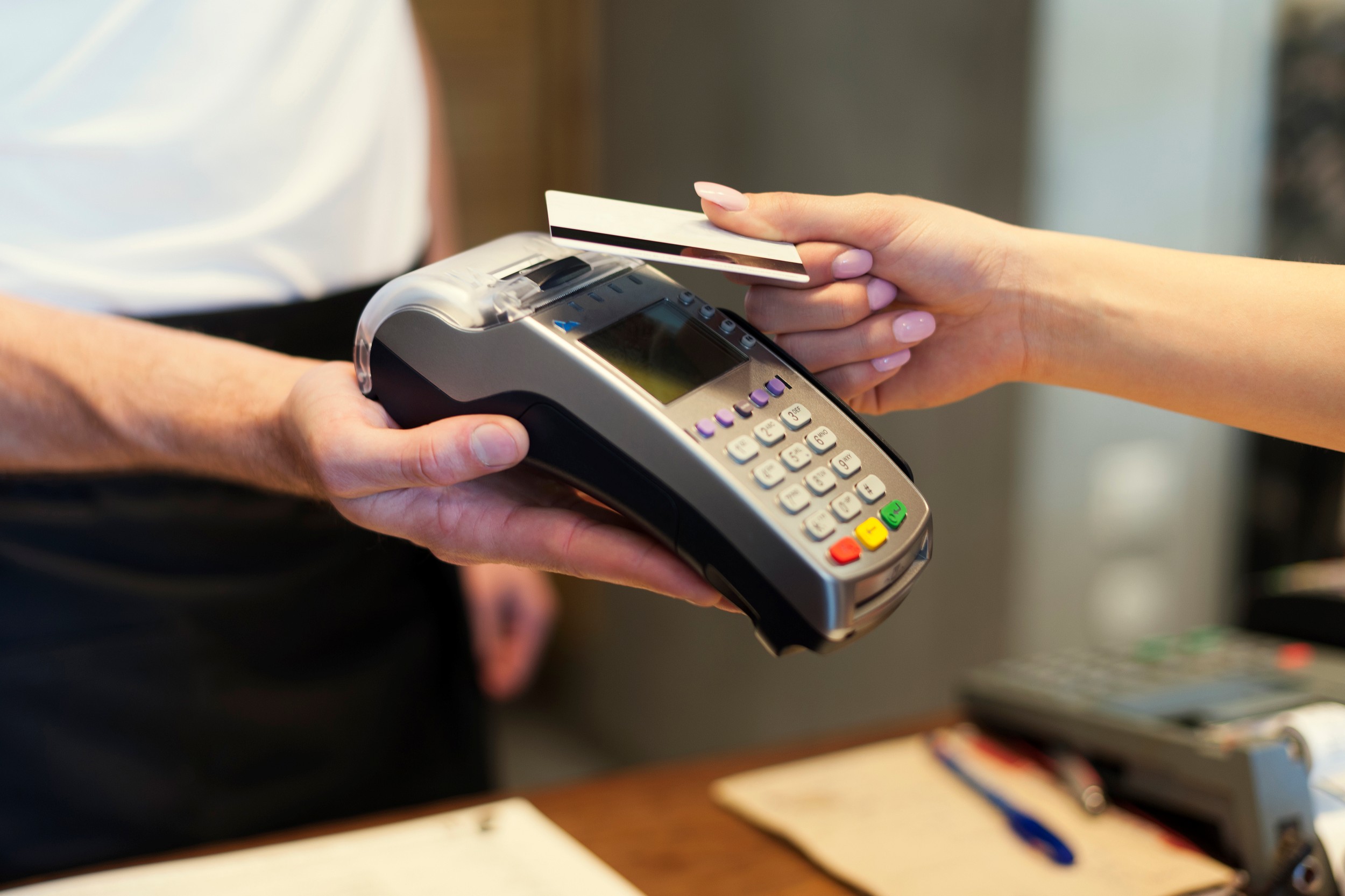
Card terminal applications | One-stop merchant terminals and bank accounts
Simplify terminal and business account applications and seek more favourable rates. Compare wired, wireless and mobile terminals.
Supports: Visa · Mastercard · UnionPay · American Express · JCB, depending on the plan
We provide one-stop assistance with card terminal applications , reducing paperwork and offering competitive transaction fees. Some plans also waive data-line connection charges. We also arrange wireless card terminals for exhibitions, stalls and field collections.
We follow up from equipment selection, fee comparisons and documents to bank accounts, installation and testing. New shops, restaurants, retailers and multi-branch SMEs can find suitable plans.
- Accept major cards including Visa, Mastercard and UnionPay
- Wired, wireless and mobile options
- Bank-account and merchant-service follow-up
- Prompt quotations and installation arrangements
What is a card terminal?
A card terminal reads credit or debit cards and requests authorisation from an acquirer. Customers insert a chip card or tap for contactless payment. Some models also support mobile contactless wallets such as Apple Pay and Google Pay.
After a transaction, the acquirer deducts merchant fees and settles the balance into the merchant's bank account. A company account is therefore generally required before applying for a terminal.
Card networks, acquirers and merchants
| Role | Example | Responsibility |
|---|---|---|
| Card network | Visa, Mastercard, UnionPay, American Express and JCB | Operate payment networks and set transaction rules |
| Issuing bank | The bank that issued the customer's card | Authorise cardholder transactions |
| acquirer | Bank or payment service provider | Supply merchant terminals and handle transactions and settlement |
| Merchant | Your shop | Accept customer payments |
Visa and Mastercard direct merchants wishing to accept their cards to an acquirer for applications. Networks do not supply terminals directly, so comparing terminals means comparing acquirers' plans.
Supported cards: Visa, Mastercard and UnionPay
| Card type | Features | Support |
|---|---|---|
| Visa, Mastercard | Hong Kong's most common international credit and debit card networks | Almost all merchant terminals |
| UnionPay | Accepted in 183 countries and regions; almost all Hong Kong and Macau merchants and ATMs support it, with over 30 million cards issued locally | Most plans |
| American Express | Common among business travellers and higher-spending customers | Depends on the acquirer |
| JCB | Popular among Japanese visitors | Depends on the acquirer |
| Diners Club, Discover | Used by some overseas visitors | Depends on the acquirer |
| Mobile wallets and QR codes | Apple Pay, Google Pay, WeChat Pay, Alipay and others | Supported by some smart terminals; see Allinpay |
*UnionPay data source: official UnionPay International website.
Comparing wired, wireless, mobile and smart POS terminals
Traditional wired terminal
Connects by telephone line or LAN with stable connectivity, suitable for shops, clinics and service businesses with a fixed checkout. Its drawback is being tied to one location.
Wireless card terminal
Uses built-in SIM data or Wi-Fi without a fixed phone line. Take it to restaurant tables, exhibitions, stalls or customer premises. Check data charges, battery life and coverage.
Mobile card terminal (mPOS)
Mobile POS generally pairs a dedicated reader with a phone or tablet app over mobile data, Wi-Fi or Bluetooth. It suits pop-ups, exhibitions, delivery and on-site services. For remote and online collection as well, explore mobile payment app .
Smart POS payment terminal
Runs Android over SIM or Wi-Fi. Some models combine cards, QR wallets and Octopus. For international cards, UnionPay and wallets together, compare Allinpay .
| Type | Connection | Portability | Suitable businesses |
|---|---|---|---|
| Wired card terminal | Telephone line / LAN | Fixed | Shop, clinic and service-business checkout |
| Wireless card terminal | SIM / Wi-Fi | High | Restaurant tables, exhibitions and stalls |
| Mobile card terminal (mPOS) | Phone app and reader over mobile data / Wi-Fi / Bluetooth | Highest | Deliveries, on-site services and pop-ups |
| Smart POS payment terminal | SIM / Wi-Fi | Medium to high | Merchants wanting several payment methods on one device |
Transaction fees, monthly charges and terminal rental
Card transaction fees (MDR)
Card transaction fees are the Merchant Discount Rate (MDR) , the percentage an acquirer deducts from each payment before settling the balance. Rates vary by industry, turnover, local, overseas or commercial card, and acquirer. Some payment providers cite a general market range of about 1.2% to 5%.
Card terminal charges at a glance
| Charge | Typical charging method | Questions to ask |
|---|---|---|
| Transaction fee (MDR) | Percentage of each transaction | Do card types, overseas cards and commercial cards have different rates? |
| Monthly terminal fee | Monthly service charge | Can it be waived above a monthly transaction threshold? |
| Terminal rental | Monthly rental or outright purchase | Are repairs, replacements, paper rolls and connectivity included? |
| Deposit | One-off payment | Refund conditions and deductions for equipment damage |
| Installation or setup fee | One-off; waived by some plans | Are on-site installation and staff training included? |
| Data-line and communication charges | Fixed line or mobile data | Some plans waive data-line connection charges |
| Other charges | Account opening, administration and early termination | Minimum term and relocation or reinstallation costs |
Fee calculation example
| MDR | Monthly transaction cost | Annual transaction cost |
|---|---|---|
| 1.5% | HK$4,500 | HK$54,000 |
| 2.0% | HK$6,000 | HK$72,000 |
| 2.5% | HK$7,500 | HK$90,000 |
| 3.0% | HK$9,000 | HK$108,000 |
*These are calculation examples, not actual supplier quotations. A 0.5 percentage-point difference can amount to tens of thousands of dollars a year.
Settlement: when do you receive the money?
Settlement is the delay before funds reach your account. T+1 and T+2 are common; some platforms take longer or extend the period according to business type. For SMEs buying stock and paying staff, settlement speed matters as much as fees.
*Actual transaction fees, monthly charges and rental terms depend on acquirer approval and the contract.
Which card terminal provider? Six things to compare
There is no single best provider. Instead of asking only what the machine costs, ask: How much do I receive from every HK$100 sale, when do I receive it, and who handles breakdowns?
| Comparison point | Why it matters | Suggested question |
|---|---|---|
| 1. Transaction fees | Directly affect the margin on every sale | Do overseas cards and different card types have different rates? |
| 2. Monthly charges and rental | A fixed cost even during quieter months | Can charges be waived above a transaction threshold? |
| 3. Settlement schedule | Affects cash flow | T+1, T+2 or longer? How are public holidays treated? |
| 4. Contract term | Affects flexibility to switch providers | What is the minimum term and early termination charge? |
| 5. Technical support | A broken terminal can stop sales | Is there a local hotline, on-site repair or spare terminal? |
| 6. Payment integration | Affects frontline efficiency and reconciliation | Can it accept Octopus and wallets and connect to POS? |
Bank card terminals vs payment providers
| Comparison | Bank card terminal | Payment service provider or platform |
|---|---|---|
| Approval time | Usually longer, with more detailed document checks | Usually faster; some options suit new merchants |
| Rates | Higher-volume merchants generally have more negotiating room | Lower entry requirements, but not necessarily the lowest rates |
| Payment methods | Mainly credit and debit cards | More options combining cards, wallets and QR codes |
| Suitable businesses | Established businesses with stable, higher turnover | New shops, online stores, events and merchants needing multiple methods |
Choosing a terminal for your type of business
Terminals for new businesses
New merchants may lack stable turnover or a long trading record. Prioritise quick approval, low upfront costs and shorter contracts. Arrange business registration and a bank account early, as terminal approval takes time. See New-shop opening checklist .
Terminals for small shops
With fewer transactions, monthly and rental charges can erode profit. Consider threshold-based monthly waivers or rental-free plans; for many small transactions, combine with Octopus payments .
Terminals for SMEs
Stable SMEs can use turnover to negotiate lower MDR and quicker settlement. Multi-branch merchants can apply together and use multi-branch Retail POS system for central reconciliation.
Terminals for restaurants
Restaurants need fast bills and tableside payments. Wireless terminals with a restaurant POS system can improve table turnover; add Octopus for small takeaway collections.
Mobile merchants and exhibition stalls
Markets, exhibitions, deliveries and on-site services suit mPOS or wireless terminals with built-in SIM, without a fixed checkout.
High-value and appointment-based businesses
Salons, furniture shops, jewellers and travel agents can add instalments and remote collection to in-store terminals. See mobile payment app .
Card terminal application process
Visa recommends three steps for small merchants: contact a payment provider, negotiate charges and sign a contract according to requirements, then have the provider install a terminal within several working days. Our full application process is:
- Initial quotation: Provide your industry, monthly turnover, average sale and payment methods. Clarify fees, monthly charges, contract length and settlement.
- Prepare documents: Prepare business registration, identification, company account and shop information. If needed, apply for the bank account alongside the terminal.
- Risk assessment: The bank or provider reviews business activities and risk; some sectors need extra documents.
- Contract and configuration: Confirm rates, settlement account, term and terminal quantities, recording commitments in the contract or quotation.
- Installation and testing: Install and test payments, refunds, voids, receipt reprints and end-of-day settlement.
- Start taking payments: After starting, reconcile transaction fees, refunds and settlement amounts monthly.
Documents needed for a card terminal application
- Copy of a valid Business Registration Certificate (BR)
- Certificate of Incorporation (CI) for limited companies
- HKID or passport copies for the proprietor, directors or authorised persons
- Company account proof and recent statements, generally for three to six months
- Shop photographs of frontage, signage and checkout, plus tenancy agreement or address proof
- Product or service information, such as menus, price lists, websites or social media
*Requirements vary by bank, provider and industry. We supply a checklist for the selected plan.
Business bank accounts: the first step towards card acceptance
Card receipts settle into a merchant account, so a company account is usually needed first. We help prepare documents and bank appointments alongside the terminal application, saving visits and paperwork. Approval remains the bank's decision.
HKMA: no universal account-opening checklist
The Hong Kong Monetary Authority notes that banks set their own requirements according to strategy and risk assessment. Some must also meet head-office or overseas regulatory requirements. A company account application may generally require:
- Corporate identification: For example, incorporation certificates, independent registry records, registration or good-standing certificates, partnership agreements or constitutional documents
- Addresses: Registered office and principal place of business if different
- Beneficial owner information: Identity documents and the ownership and control structure
- Purpose and nature of the account: Purpose, expected activity, business nature and operating model
- Persons acting for the customer: Identification and authorisation documents
Prepare documents by business type
| Business type | Common document requirements |
|---|---|
| Limited company | BR, CI, articles, directors' and shareholders' identification and address proof, board resolution and business evidence such as orders, contracts or a lease |
| Sole proprietorship | BR, proprietor identification, address proof and business evidence |
| Partnership | BR, partnership agreement, and partners' identification and address proof |
Simple Bank Account
Introduced by the HKMA and banking industry in April 2019, Simple Bank Accounts offer basic deposits, withdrawals and local and cross-border transfers for business customers. A narrower service range and transaction volume reduce risk and due-diligence requirements, but applicants must still provide bank-requested documents. This may suit startups and new merchants.
Common rejection reasons and application tips
Government information identifies missing due-diligence information or evidence as a main reason for unsuccessful applications, preventing banks from understanding the business. All retail banks offer pre-vetting by email, fax or post before a meeting and have mechanisms to review unsuccessful applications.
- Explain the business, customer and supplier locations, and expected account activity
- Prepare evidence such as leases, orders, quotations, websites or social pages
- Explain ownership and control clearly
- Ask for the checklist beforehand and use pre-vetting services
Card payment security and compliance
- PCI DSS: The card-data security standard established through PCI Council founding members Visa, Mastercard, American Express, Discover and JCB. Confirm certification when selecting a payment platform
- Keep transaction records: Retain card slips, receipts and delivery or service evidence for chargebacks
- Do not privately record card details: Do not collect full card numbers or security codes on paper, WhatsApp or email
- Use secure remote payment pages: Choose 3-D Secure-supported pages for online and remote payments; see Remote payment security
- Separate shop networks: Keep terminals and POS off customer Wi-Fi; see Guest Wi-Fi security
FAQs: terminal applications and bank accounts
Which cards and payment methods are supported?
Commonly Visa, Mastercard and UnionPay; some plans also support American Express, JCB, Diners Club, Discover or wallets, depending on the acquirer.
Where are wireless terminals useful?
Exhibitions, markets, deliveries, events and restaurant tableside collection, without a fixed checkout or telephone line.
Can I arrange a bank account and terminal together?
Yes. Our one-stop application service reduces bank visits and paperwork; approval remains with the bank.
What documents are needed to apply?
Common documents include BR, CI for limited companies, proprietor or director identification, company bank details, recent statements, shop photographs, address proof and product or service information. Requirements vary by acquirer.
What are typical card transaction fees?
MDR is a percentage of each card transaction and varies by industry, volume, card type and acquirer. Some providers cite a general 1.2% to 5% range. Final rates depend on approval and contract.
How are monthly and rental fees calculated?
Some plans charge monthly rental or service fees, some waive them above a transaction threshold, and others have no rental but higher transaction rates. Confirm monthly charges, deposits, setup costs, contract length and early termination charges before signing.
What is the difference between wireless terminals and mPOS?
Wireless terminals are generally standalone SIM- or Wi-Fi-connected devices. mPOS usually pairs a reader with a phone or tablet over mobile data, Wi-Fi or Bluetooth, suitable for pop-ups, exhibitions, delivery and on-site services.
Which terminal provider is best?
No option suits every merchant. Compare transaction fees, monthly charges and rental, settlement, contract length, technical support and payment integration, based on your industry, turnover and payment settings.
Can a new company apply for a terminal?
Yes. Without a long trading record, consider quick approval, low upfront costs and flexible terms. Prepare registration, bank-account and shop information early to fit your opening date.
What documents are needed for a company bank account?
HKMA notes there is no universal checklist. Banks may ask for corporate identification such as CI, registered and trading addresses, beneficial-owner information, account purpose and nature, and identification and authority for representatives.
What is a Simple Bank Account?
Introduced in April 2019, it offers basic deposits, withdrawals and local and cross-border transfers. Narrower services and transaction volumes mean relatively less due diligence, but bank-requested information and documents are still required.
Why are company account applications rejected?
Government information identifies missing due-diligence information or evidence as a main reason, preventing banks from understanding the business. All retail banks offer pre-vetting and review mechanisms for unsuccessful applications.
More questions? Contact us for a terminal quote or browse More Octopus and POS FAQs .
Want to compare card transaction fees, monthly charges and rental terms? Leave your details for a prompt quotation.
Request a quote