
POS systems | Restaurant and retail POS
Full-featured, easy-to-use systems with industry modules, Octopus connectivity and cloud backup, alongside terminals and electronic payments.
For: restaurants · Local diners · Cafes · Retailers · Multi-branch chains
We offer retail and restaurant POS systems with professional operating advice. Easy-to-use systems can add features to match requirements, connect to Octopus and use cloud backup.
As a one-stop merchant service , we can plan POS, merchant card terminal , Octopus payments and business broadband together for compatible equipment ready at opening.
Retail operations
- Single-store / multi-branch editions
- Online store, physical shop and mobile app together
- Purchasing, sales, stock and accounting
- Membership and points
Restaurant operations
- Split bills and table management
- Handheld and tablet ordering
- Mobile app takeaway ordering
- Queues and reservations
What is a POS system?
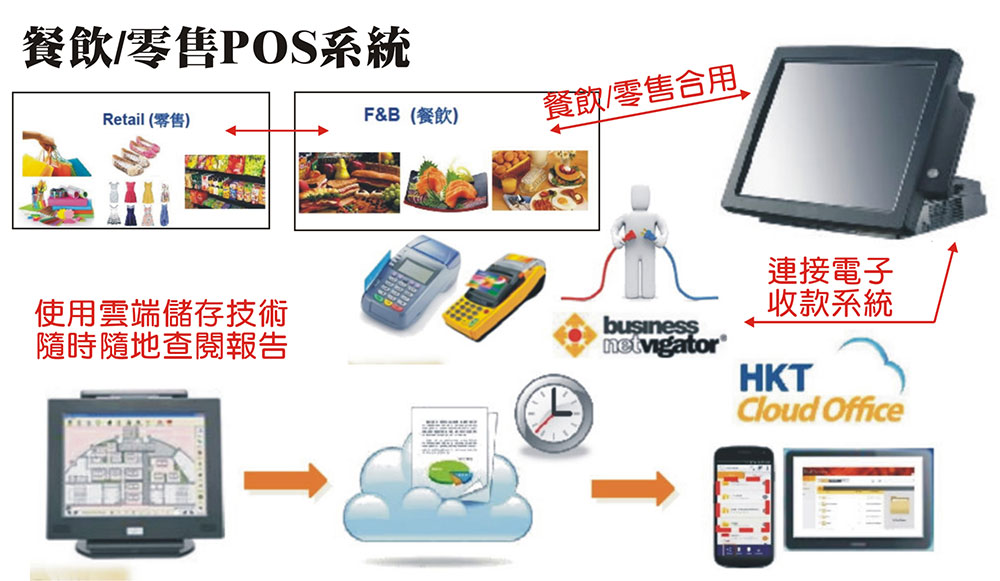
Point of Sale (POS) is central to completing shop transactions, handling orders, pricing, payment records, receipts, inventory and sales reports. A suitable system speeds frontline work, reduces errors and lets owners monitor business data.
POS records and calculates, while actual collection uses devices such as Card payment terminals , Octopus readers and wallet terminals. Good integration allows one amount entry and more accurate daily reconciliation.
Key restaurant POS features
Split bills and table management
Split one table's bill, move tables or merge them in the system without manual calculations, reducing payment confusion and disputes.
Handheld and tablet ordering
Staff order at tables using handhelds or tablets, sending tickets directly to the kitchen and drinks counter, reducing walking, handwriting and missed orders.
Mobile app takeaway ordering
Customers order takeaway through a mobile app, with orders entering POS directly. Dine-in and takeaway are managed and reported together.
Queues and reservation features
Manage busy-period waiting and bookings. For visual seating, Facebook reservations and online deposits, combine with Optitable reservation management .
The trend towards QR ordering
Customers increasingly scan a table QR code to order and pay themselves. In October 2026, Octopus announced a mobile ordering solution with Pin Me: scan a QR code or tap an NFC sticker to order and pay with Octopus. Restaurants joining its merchant network can receive cloud POS, a printer, QR stickers and operating analytics at zero cost. See Octopus restaurant offers .
Key retail POS features
Single-store and multi-branch editions
Small shops can start with a lower-cost single-store edition. Multi-branch systems centralise sales and stock, letting head office monitor each outlet.
Online store, physical shop and mobile app in one system
Online and offline channels share products and stock. Sales in either reduce inventory immediately, avoiding overselling and separate reconciliation.
Purchasing, sales, inventory and accounting features
Record purchases, sales and stock, replenish low inventory early, and use accounting features to organise revenue and costs.
Membership and points
Register members at checkout, award points and redeem rewards to encourage return visits. For digital stamps and coupons, combine with MRM membership app .
Restaurant vs retail POS
| Comparison | restaurant POS system | Retail POS system |
|---|---|---|
| Core features | Tables, split bills, ordering and takeaway | Stock, membership and multiple branches |
| Ordering method | Handhelds, tablets and mobile takeaway apps | Scan or select products at checkout |
| Inventory | Ingredient usage, depending on the plan | Product stock, purchasing and replenishment |
| Customer management | Queues and reservations | Membership and points |
| Online integration | Mobile app takeaway ordering | Online shop, physical store and mobile app together |
| Common supporting tools | Wireless terminals, Octopus and reservations | Terminals, Octopus and membership apps |
Connecting POS to terminals, Octopus and electronic payments
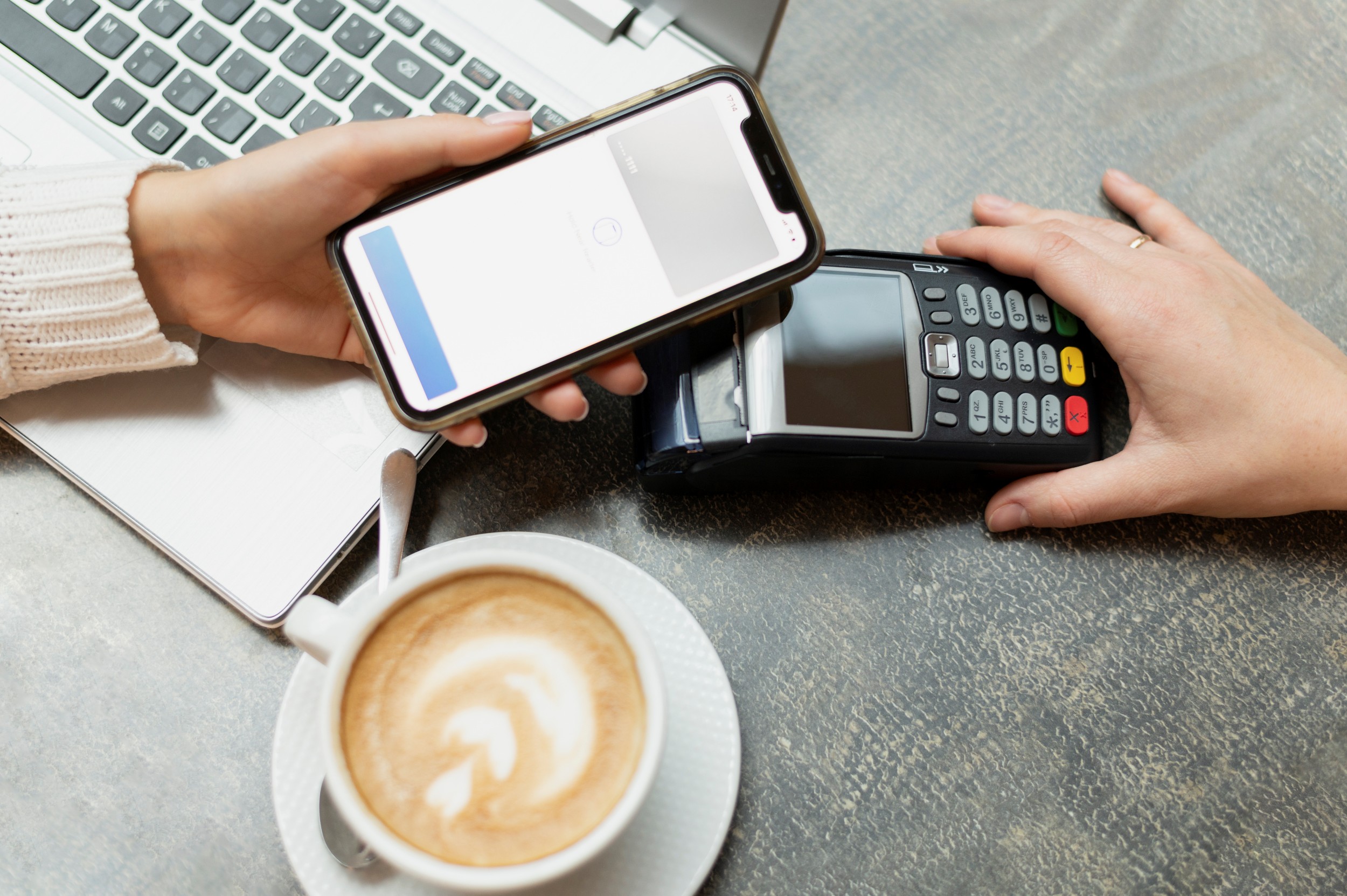
With integrated payments, staff enter the amount in POS and customers tap or insert their cards. Transactions are recorded automatically without duplicate entry on two devices, reducing errors and improving daily reconciliation.
Connecting Octopus
Octopus states that its readers support various popular POS systems. If yours is not on its approved list, compatibility checks may be required. Merchants without POS can use standalone POP 2.0 or the business app. See Using Octopus with a POS system .
Connecting merchant card terminals
Visa, Mastercard and UnionPay terminals connected to POS speed checkout. Restaurants can use wireless tableside terminals and stalls can use mPOS. Confirm compatibility before applying. See our terminal types comparison .
Wallet payments
Businesses serving many mainland visitors can consider a single terminal for international cards, UnionPay, WeChat Pay and Alipay through Allinpay ; for remote or online payments, explore mobile payment app .
| Comparison | POS-integrated payment equipment | Separate POS and payment equipment |
|---|---|---|
| Entering amounts | Enter once | Enter in both POS and the payment device |
| Error risk | Lower | Higher; amounts may be mistyped |
| Daily reconciliation | Transactions recorded automatically in POS | Manually compare two sets of records |
| Setup requirements | Confirm compatibility | Simpler |
For terminal transaction fees, monthly charges and rental, see our complete card terminal charges guide and Which card terminal provider? Six comparison points .
Cloud vs traditional local POS
| Comparison | Cloud POS | Traditional local POS |
|---|---|---|
| Data storage | Cloud with backup | In-store computer |
| Remote reports | View anytime on a phone or computer | Usually viewed in-store |
| Multi-branch synchronisation | Easier | Additional setup needed |
| Internet dependence | Needs stable connectivity | Lower |
| Computer failure | Cloud data can be restored on a replacement device | Data may be lost without backups |
Cloud POS needs reliable internet. Use an internal or wired network rather than sharing customer Wi-Fi. See Guest Wi-Fi security .
POS costs: subscriptions, hardware and hidden charges
Hong Kong POS pricing generally follows three models: monthly, annual or per-order charges . Published restaurant POS prices range from around HK$99 per month to several hundred dollars, depending on features, devices and contract length. Compare total cost rather than monthly charges alone:
| Charge | Questions to ask |
|---|---|
| Monthly or annual software fee | Per shop or per device? Is there an annual-payment discount? |
| Hardware | Are tills, tablets, printers and cash drawers rented or purchased? |
| Installation and training | Are site installation and staff training extra? |
| Technical support | What are hotline hours and on-site repair charges? |
| Optional modules | Are takeaway, membership, branches and online stores charged separately? |
| Payment integration | Are card-terminal and Octopus connections extra? |
| Contract length | What is the minimum term and early cancellation cost? |
*General reference only. Actual charges depend on the selected plan and contract.
Eight-point POS selection checklist
- Industry modules: Restaurant or retail? Tables and split bills, or stock and membership?
- Branch count: Single-store or multi-branch? Will you expand later?
- Payment integration: Can it connect to your terminals, Octopus and wallets?
- Online integration: Do you need an online store or mobile takeaway app?
- Cloud backup: How is data backed up? Can reports be viewed remotely?
- Ease of use: Can frontline staff learn it easily? Is there a Chinese interface?
- Support: Is local help available for failures, including during busy hours?
- Total cost: Include software, hardware, installation, support and the contract commitment.
Government funding: Digital Transformation Support Pilot Programme (DTSPP)
The government introduced DTSPP, with Cyberport as secretariat and HK$500 million reserved to help local SMEs adopt ready-made basic digital solutions.
- Eligible sectors: Food and beverage, retail, tourism and personal-service SMEs
- Solution categories: Electronic payments and POS, online promotion, and customer management and loyalty systems
- Funding model: One-to-one matching, up to 50% of approved project expenditure or HK$50,000 per SME, whichever is lower
- Current status: At the time this page was updated, applications had closed in May 2025
*Check Cyberport and SME Link announcements for any future rounds or other programmes.
Suggested systems and payment combinations
| Business type | POS recommendation | Payment tools |
|---|---|---|
| New restaurant | Restaurant POS with tables, split bills and tablet ordering | Wireless terminal plus Octopus |
| Local diners and fast-food shops | Fast ordering and takeaway | Mainly Octopus, with a merchant terminal |
| Cafes | Restaurant POS with membership features | Octopus, cards and wallets |
| Small retailer | Single-store retail POS | Small-shop terminal plus Octopus |
| Retail chains | Multi-branch system with online-store integration | SME terminals and Octopus readers |
| Tourist-area businesses | Retail or restaurant POS | UnionPay, Visa, Mastercard and wallets |
POS implementation steps
- Understand your needs: Industry, branch count, checkout quantities and required features.
- Confirm payment equipment: Check existing or proposed terminal and Octopus models for compatibility.
- Reserve space: During fit-out, provide checkout power, network connections and printer space.
- Enter data: Products, menus, prices, table numbers and staff permissions.
- Install and test: Test orders, tickets, payments, refunds and daily settlement.
- Train staff: Let frontline staff practise before opening.
New merchants can consult New-shop opening checklist and coordinate broadband, terminals, Octopus and POS applications together.
FAQs: restaurant and retail POS
How do retail and restaurant POS differ?
Retail focuses on stock, membership and branches; restaurant POS focuses on tables, split bills, ordering and takeaway. Choose modules for your business.
Are multi-branch support and cloud backup available?
Many plans support synchronisation and cloud backup, depending on the chosen brand and version.
Will replacing POS affect my existing Octopus?
It depends on compatibility. Tell us your equipment before upgrading so we can assess connections. Octopus readers work with many popular systems, but those outside its approved list may need compatibility checks.
Can POS connect to card terminals?
Many can send the POS amount to a terminal, reducing manual mistakes. Compatibility depends on the POS brand, version and terminal model; confirm before applying. See Card terminal applications .
What is the approximate monthly cost?
Brands charge monthly, annually or per order. Published Hong Kong restaurant POS prices start at around HK$99 monthly and extend to several hundred dollars, potentially plus hardware, setup and support. Actual costs follow the selected plan and contract.
How does cloud POS differ from traditional POS?
Cloud data can be viewed remotely on phones or computers, synchronised across branches and backed up. Traditional POS mainly stores data locally, providing more stable offline operation but requiring separate remote management and backup arrangements.
Can I accept Octopus without POS?
Yes. POP 2.0 works independently, and the business app requires no POS equipment installation. However, POS integration records transactions automatically for easier reconciliation.
Is there government funding for POS?
DTSPP, administered by Cyberport, offered one-to-one matching for food-service, retail, tourism and personal-service SMEs adopting digital solutions including payments and POS, up to 50% of project expenditure or HK$50,000. At this page's update, applications had closed in May 2025.
When should a new restaurant choose POS?
During fit-out, so power and network connections can be reserved and terminal and Octopus compatibility confirmed. Complete installation, testing and training before opening.
Can POS work with a membership app?
Retail POS includes membership and points. For fuller promotion such as digital stamps and coupons, combine with Mobile membership app . Integration depends on the selected plan.
More questions? Contact us for a POS quotation or browse Card terminal and Octopus FAQs .
Want to compare POS, terminals and Octopus together? Leave your details for a prompt quotation.
Request a quote